
Starter
A compact starting point for light automation experiments
Monthly equivalent
$0.99/mo
$11.88 billed yearly
Order StarterPlan highlights
- ✓1 CPU core allocation
- ✓2 GB RAM for lighter workflows
- ✓20 GB NVMe storage
- ✓Clear upgrade path
Workflow automation infrastructure
Run self-hosted n8n on VPS resources sized for automation workloads. Compare CPU, RAM and NVMe allocations, then choose the n8n hosting plan that fits your workflows and growth path.
Resources, software scope, backups and support responsibilities vary by plan. Check the selected plan before ordering.
Flexible billing periods
Compare transparent CPU, RAM and NVMe allocations for self-hosted n8n. Choose monthly flexibility or view the yearly equivalent before selecting your automation workload.
A compact starting point for light automation experiments
Monthly equivalent
$11.88 billed yearly
Order StarterPlan highlights
More memory for small teams and active workflows
Monthly equivalent
$20.40 billed yearly
Order BasicPlan highlights
A stronger base for growing business automations
Monthly equivalent
$40.80 billed yearly
Order ProPlan highlights
Higher resources for agencies and demanding projects
Monthly equivalent
$81.60 billed yearly
Order BusinessPlan highlights
From trigger to outcome
n8n is a workflow automation platform that connects applications, APIs and data. n8n hosting supplies the server resources beneath that platform, so your workflows have CPU, memory and storage available when executions run.
A webhook, schedule, form or connected application starts an execution. The workflow can then read, transform or route incoming data.
Nodes perform API calls, conditions, code steps and database operations. More complex or concurrent work usually needs more RAM and CPU headroom.
Send a message, update a CRM, write to a database or call another service. Execution history and stored data also contribute to resource usage.
Self-hosted n8n gives you more infrastructure responsibility. Before ordering, confirm who handles installation, upgrades, TLS, databases, monitoring, backups and restores for the selected plan.
Review service scopeIntegration signal wall
Build workflow automation around messaging, source control, payments, databases, cloud platforms and business applications. Exact nodes and credentials depend on your n8n version and each third-party service.
Workload fit
When comparing n8n hosting options, the right plan depends on workflow complexity, concurrency, stored execution data and connected services—not simply the number of workflows.
Self-hosted n8n can suit teams that want their own server resources and a clearer path from lightweight workflows to more demanding automation. It also means understanding the operational work that remains with the customer.
Self-hosted n8nConnect APIs, run code steps and integrate databases while choosing an n8n VPS hosting allocation with room for expected execution demand.
API and code workflowsBuild repeatable client processes for reporting, lead routing and content operations while keeping plan limits and support ownership visible.
Multi-client processesMove data between CRMs, forms, support tools and internal systems without treating automation as an unlimited or resource-free service.
Business operationsOrchestrate model APIs and data services, then size RAM, CPU and storage for the actual workload and external API constraints.
AI orchestrationBefore ordering
“Managed n8n hosting” can mean different things across providers. Use this checklist to confirm exactly what VPS Wagon supplies and what remains your responsibility for the selected plan.
| Area | Why it matters | What to verify | Status |
|---|---|---|---|
| Installation & edition | Features can differ between n8n editions and versions. | Initial deployment, Community or paid features, version supplied. | Confirm per plan |
| Updates & rollback | Upgrades may affect nodes, credentials and workflow behavior. | Who upgrades n8n, maintenance timing, backups and rollback process. | Responsibility boundary |
| Database & Redis | Database choice and queue mode affect reliability and scaling. | Supported database, credentials, maintenance, Redis and worker availability. | Feature dependent |
| SSL/TLS & domain | Webhooks and the editor should use secure HTTPS endpoints. | Certificate provisioning, renewals, DNS and reverse-proxy ownership. | Confirm setup |
| Backups & restores | Workflow definitions, credentials and database data need protection. | Frequency, retention, included data, exclusions and restore requests. | Plan specific |
| Monitoring & support | Server health is different from workflow-level success. | Monitored components, alerts, response scope and workflow debugging. | Confirm coverage |
| Migration & scaling | Moving data or adding workers may require planning and downtime. | Migration eligibility, included data, upgrade path and downtime expectation. | Pre-sales check |
Important: workflow executions are resource-bound. CPU, memory, storage, concurrency, execution-data retention and third-party API limits all affect practical capacity.
Workflow inspiration
Hand-picked n8n tutorials for AI agents, inbox automation, lead generation, RAG systems and workflow operations. Each card opens the related YouTube walkthrough in a new tab.
 01AI agentsWatch tutorial
Explore how n8n workflows can coordinate AI agents, content steps and video automation pipelines.
Lenny In Tech 02Knowledge baseWatch tutorial
See a practical pattern for combining n8n, Supabase and AI search for company knowledge workflows.
Billy Christi 03Social mediaWatch tutorial
Study a repeatable automation system for generating, routing and publishing social content.
Fabian Markl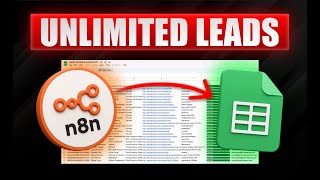 04Lead genWatch tutorial
Review how forms, enrichment steps and outreach systems can be connected through n8n logic.
God of Prompt 05Voice AIWatch tutorial
Learn how voice-agent flows can connect call events, API actions and automation follow-ups.
Santhej Kallada 06InboxWatch tutorial
Map incoming email to classification, routing and response actions with an n8n workflow.
RapidDev 07MonitoringWatch tutorial
Explore a monitoring workflow pattern for listening to communities and routing useful signals.
Derek Cheung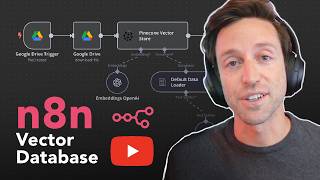 08RAGWatch tutorial
Understand how retrieval, storage and workflow orchestration can support AI-agent answers.
Kirk Artman 09Phone agentWatch tutorial
Use this example to think through call handling, follow-ups and operational routing.
Nick Puru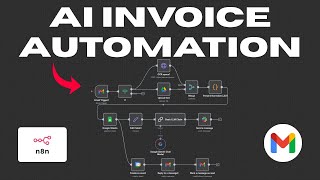 10InvoicesWatch tutorial
See how documents, extraction, validation and finance handoff can become an automated workflow.
Bernardn8n Hosting FAQ
Review hosting requirements, deployment choices, databases, backups, security and scaling before selecting a self-hosted n8n plan.
n8n hosting provides server resources for running the n8n workflow automation platform. VPS Wagon publishes CPU, RAM and NVMe allocations so buyers can compare an infrastructure base for self-hosted n8n.
n8n server requirements vary with workflow complexity, execution frequency, concurrency, code nodes, stored execution data and connected services. Start from the workload you expect and leave resource headroom rather than treating one size as universal.
Confirm the selected plan before using the word managed. Ask who handles installation, operating-system maintenance, n8n upgrades, TLS, databases, Redis, monitoring, backups, restores and workflow troubleshooting.
When comparing n8n Cloud vs self hosted, remember that self-hosted n8n runs on infrastructure you choose and normally brings more operational responsibility. n8n Cloud is operated by n8n. Compare control, maintenance, edition features, costs and responsibility before deciding.
Docker is a common self-hosting method, but installation access and support vary by service. Confirm the deployment model first; use a dedicated n8n Docker Compose guide for configuration, environment variables and upgrades.
The right database depends on the deployment and workload. Before making an n8n SQLite vs PostgreSQL decision, confirm which database is supplied or supported, who maintains it and how it is backed up.
Backup scope can be plan-specific. Verify frequency, retention, whether the n8n database and credentials are included, exclusions, restore requests, n8n execution data retention and any backups you must maintain yourself.
Confirm the n8n SSL setup, n8n monitoring coverage, n8n security responsibilities, certificate renewals, workflow-failure coverage, and who performs n8n upgrades and rollback. These are separate responsibilities.
Queue mode can require Redis, a suitable database and additional worker processes. Confirm that the architecture and plan support those components before relying on an n8n scaling design.
If you need to migrate n8n to new server infrastructure, eligibility must be confirmed before ordering. Ask which files, database data, credentials and domain settings are included, what access is required, and whether downtime should be expected. Contact VPS Wagon to confirm scope.
Need a plan-specific answer about deployment, resources, backups or migration?
Ask VPS Wagon